
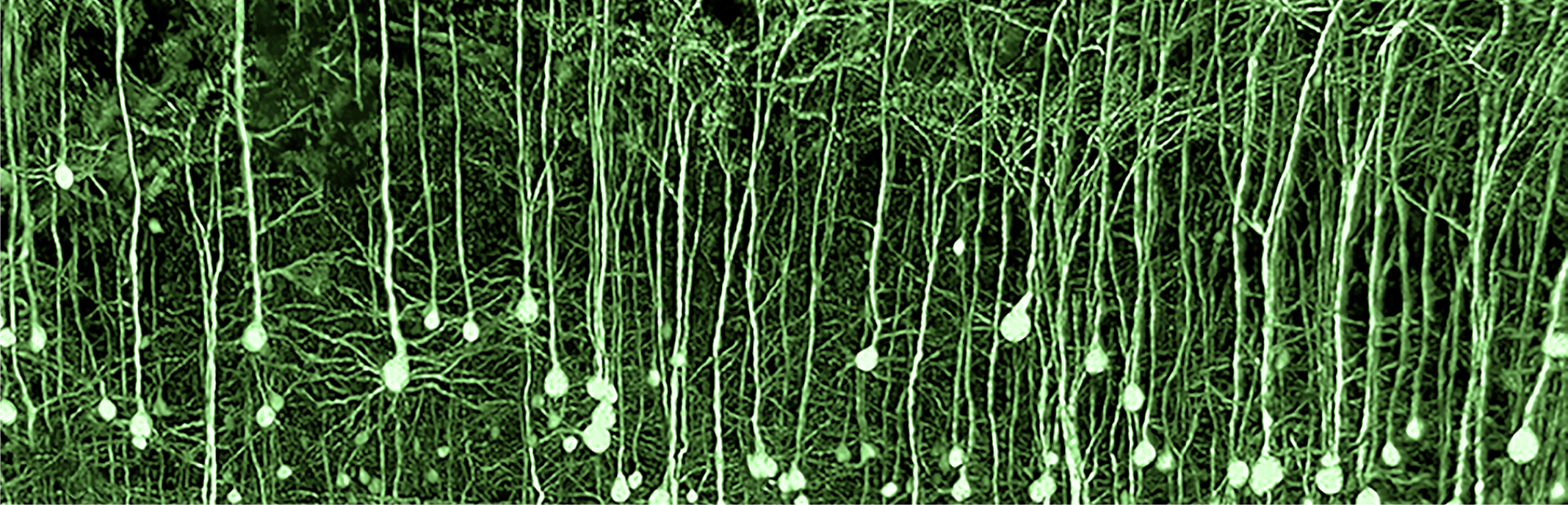
What is NovoDeblur?
NovoDeblur is an advanced image-processing software package designed for the high-speed deconvolution of large 3D microscopy datasets, handling volumes of 100 GB or more. It is particularly well suited to image stacks acquired with light-sheet and confocal microscopy, while also delivering excellent results for brightfield microscopy data. The software package includes a suite of command-line tools that can be run directly in a console window or accessed through a user-friendly graphical interface (GUI). In addition to core deconvolution functionality, the GUI provides timer-controlled batch processing, data visualization, artifact removal, and post-processing tools for deconvolution results.
Statistically rigorous image restoration at an affordable price, supporting popular imaging modalities such as light-sheet, confocal, spinning-disk, and widefield microscopy.
GPU-accelerated deconvolution that produces clear images in minutes rather than hours, is compatible with most NVIDIA graphics cards, and can process even very large light-sheet datasets.
Excellent deconvolution results for light-sheet and confocal microscopy without requiring a measured point spread function (PSF), combined with sophisticated adaptive background removal and stripe-artifact removal for light-sheet data.
Support for nearly all microscopy image file formats at no additional cost, with compatibility across the most common microscope manufacturers.
An easy-to-use GUI with 3D visualization, plus a powerful command-line interface for integrating deconvolution into complex workflows.
For more detailed information about the features offered by NovoDeblur, please see the online user manual.
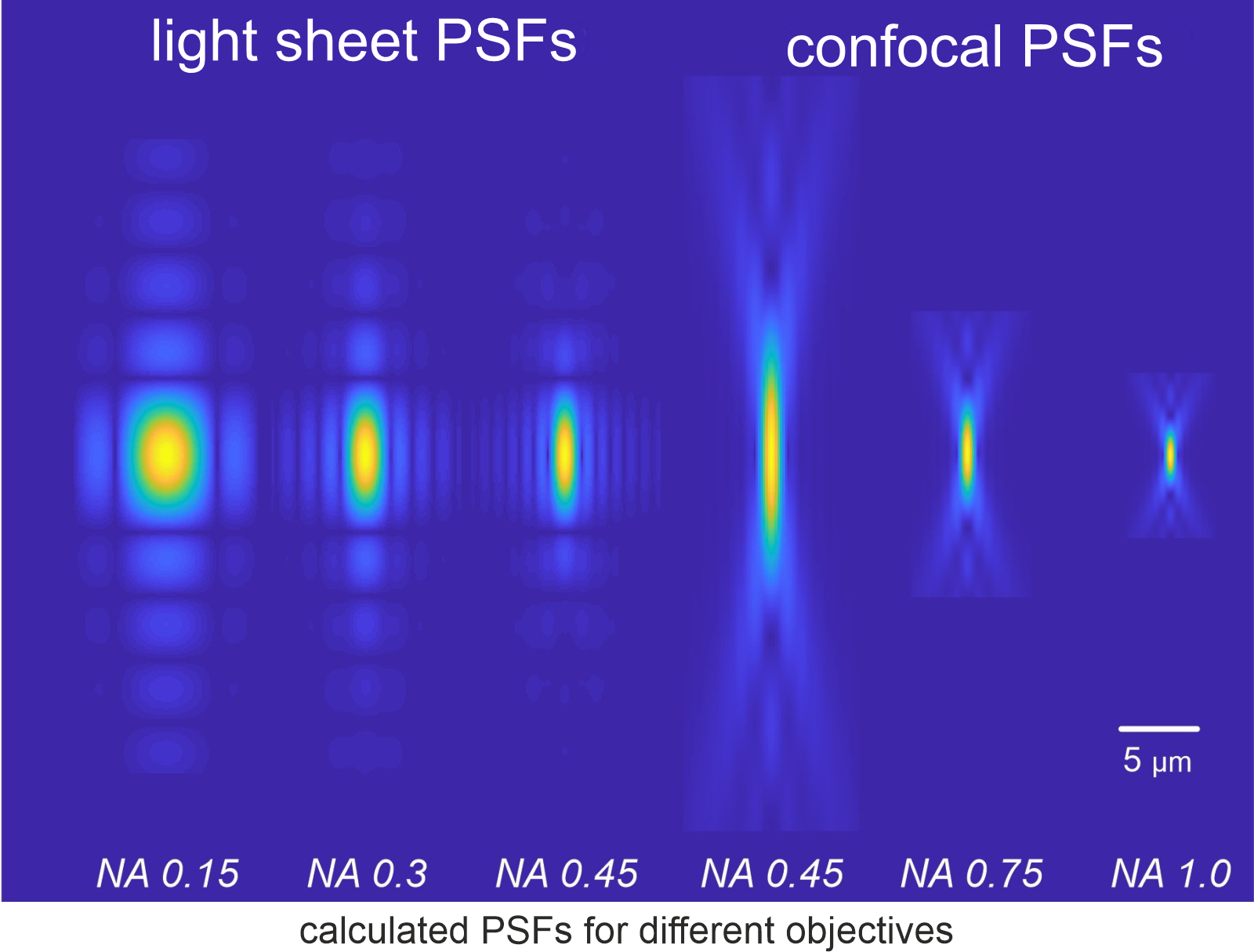
NovoDeblur provides high-quality deconvolution results even without direct PSF (Point Spread Function) measurements by generating synthetic PSFs specifically tailored for light-sheet and confocal microscopy. This capability is especially beneficial because PSFs differ significantly between these two modalities, and using a PSF calculated for one type of microscopy on another often yields suboptimal results. NovoDeblur's synthetic PSFs have been rigorously validated through years of laboratory use, producing results that closely match those obtained with experimentally measured PSFs. This reduces the need for time-consuming and error-prone PSF measurements, simplifying the deconvolution process while maintaining high accuracy.
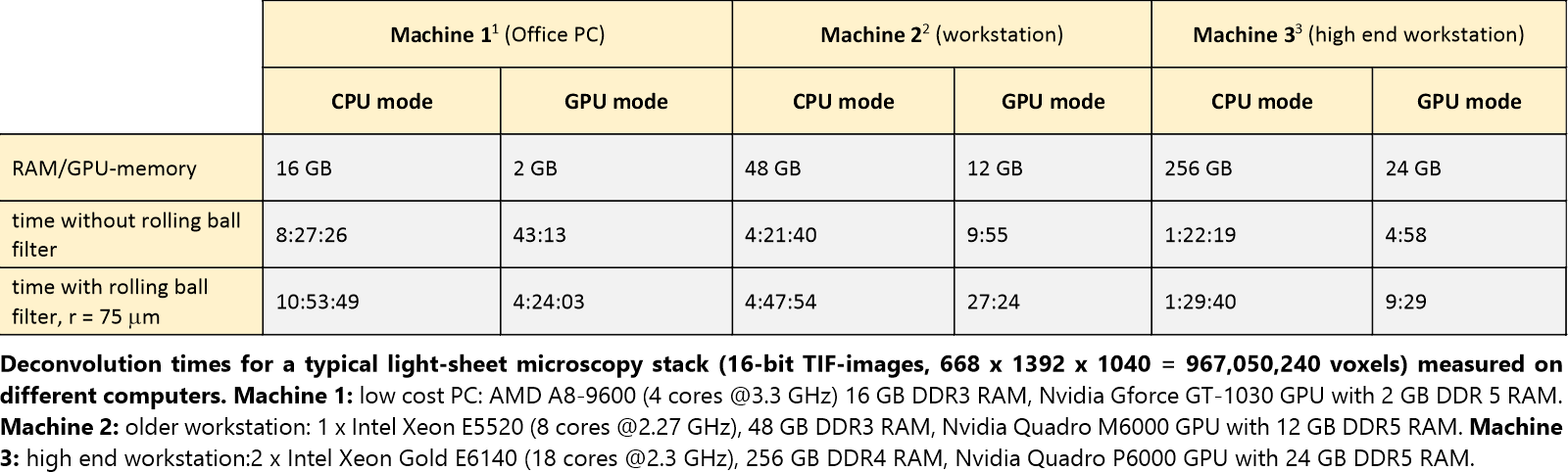
The software is designed to take full advantage of modern hardware, offering dramatically increased processing speeds, especially when using GPU-based deconvolution. By leveraging the parallel processing capabilities of GPUs, NovoDeblur can process one billion voxels or more in approximately 5 minutes using a high-end NVIDIA graphics card. This speed is on par with other leading deconvolution software and ensures that even very large microscopy datasets can be processed efficiently.
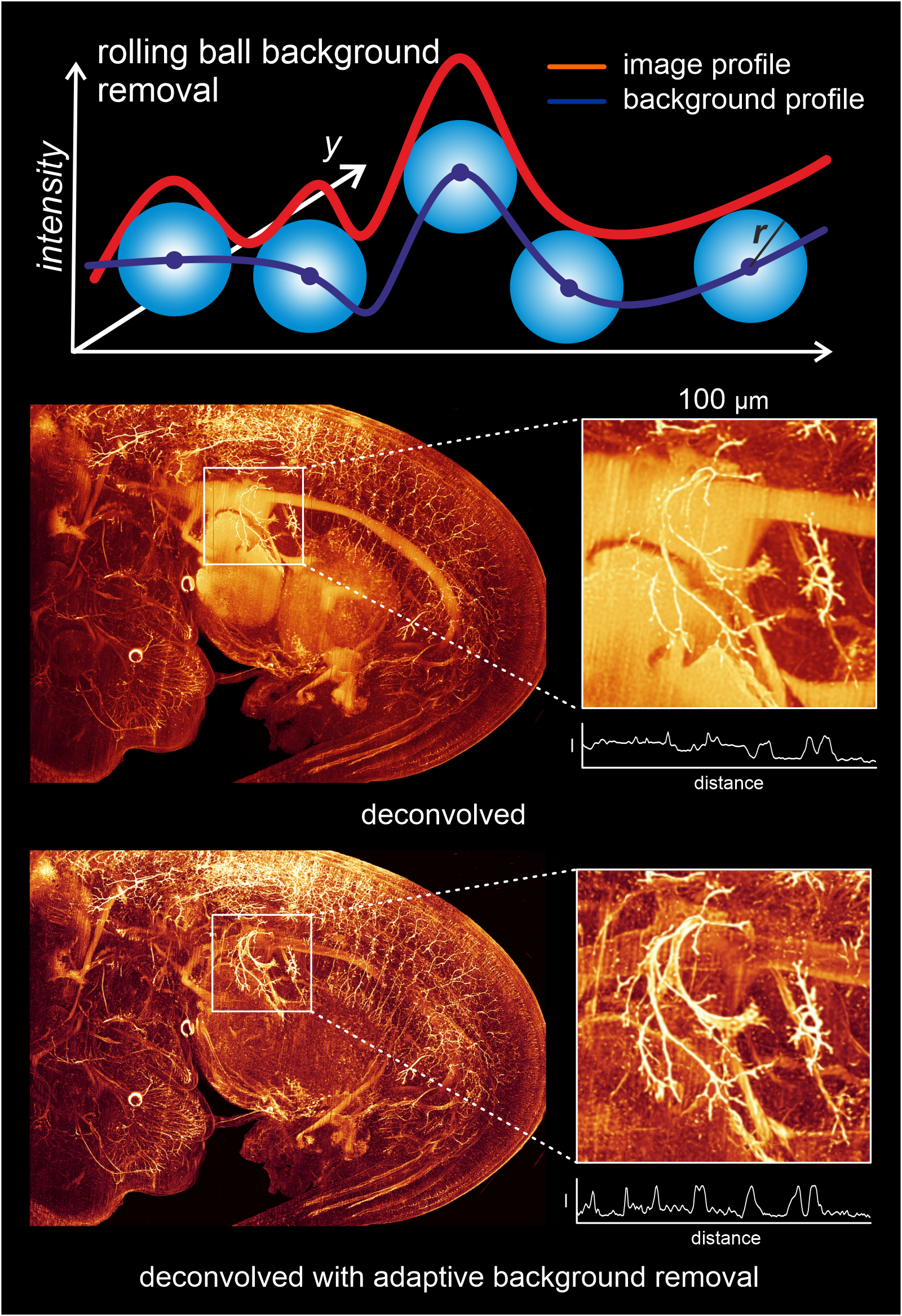
NovoDeblur employs an advanced rolling ball background removal technique, particularly effective for light-sheet and confocal microscopy data often plagued by inhomogeneous background fluorescence. This method, detailed in a 2021 publication, significantly improves image clarity by accurately estimating and subtracting the background intensity profile, preserving fine details in the process. While computationally intensive, this approach results in clearer images, especially when the correct parameters are used.
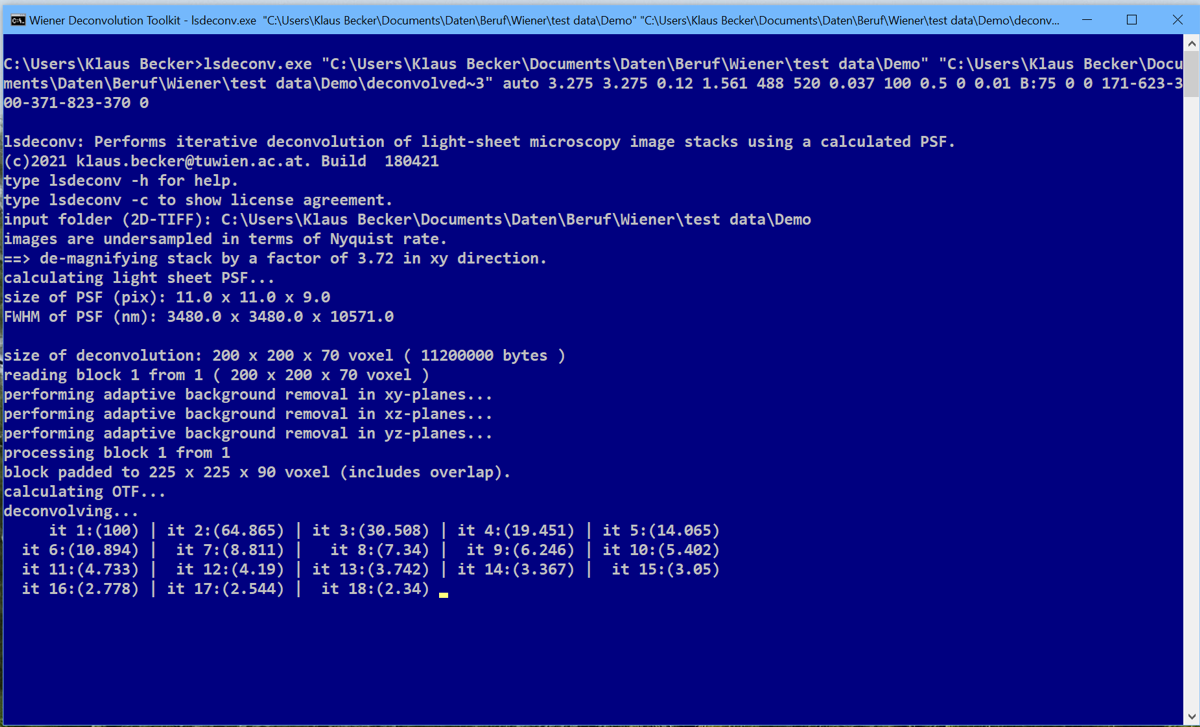
For users who need to integrate deconvolution into complex image-processing workflows, NovoDeblur offers a command-line interface alongside its GUI. This makes it easy to embed deconvolution within larger workflows and broadens its usefulness for research and industrial applications. The command-line tools are complemented by several practical helper utilities, for example for 3D histogram calculation and for converting image stacks from different formats.
| tool name | usage |
|---|---|
| bfdeconv | Deconvolution of brightfield microscopy data using a synthetic PSF |
| cfdeconv | Deconvolution of confocal microscopy recordings using a synthetic PSF |
| lsdeconv | Deconvolution of light-sheet microscopy data using a synthetic PSF |
| psfdeconv | Deconvolution of light-sheet and confocal microscopy data using a measured PSF |
| sfdeconv | Deconvolution of spinning-disk confocal microscopy data using a synthetic PSF |
Please click here to obtain a fully functional trial version. For detailed
information about using NovoDeblur, please refer to the online user manual.
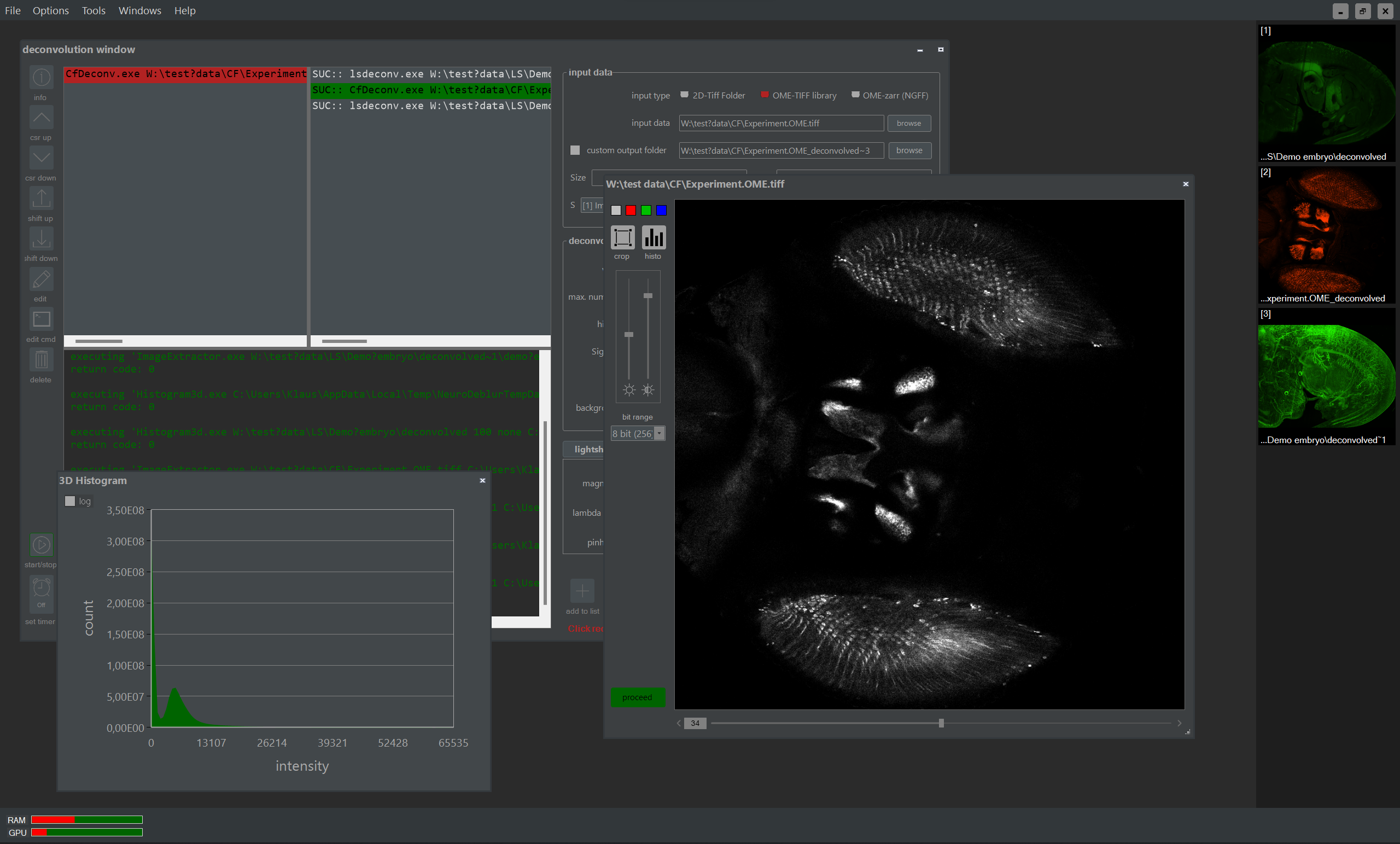
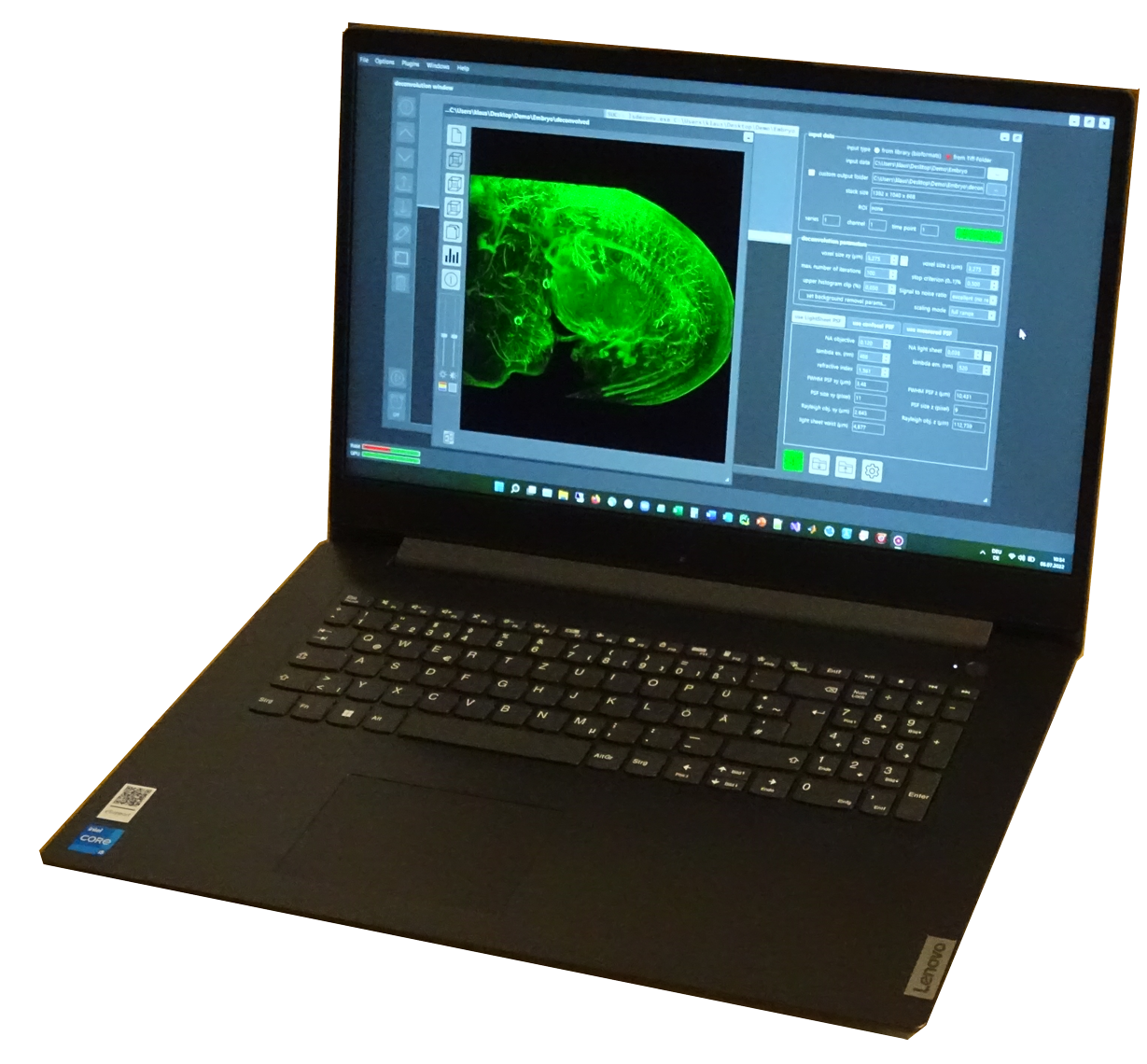
NovoDeblur's graphical user interface (GUI) provides an intuitive environment for accessing and using the deconvolution tools at the core of NovoDeblur. This makes the software accessible to users who may not be familiar with command-line workflows while still offering powerful tools for advanced image analysis. In addition, the GUI includes a range of helpful features, including:
The screenshot on the left shows the graphical user interface. If you are interested in a free NovoDeblur demo version, please click here.
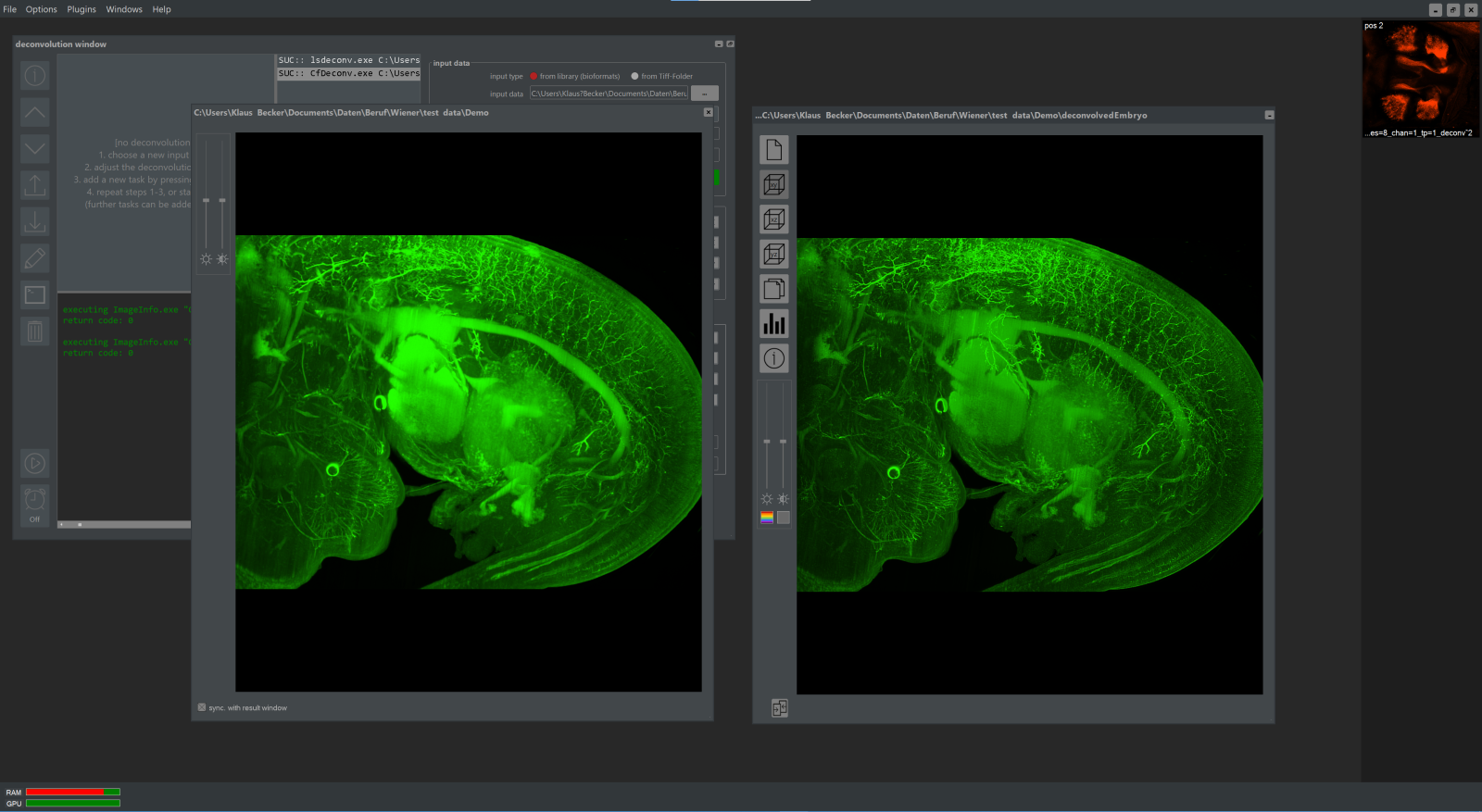
The software facilitates easy comparison of raw and deconvolved data by displaying them in synchronized windows. This feature allows users to instantly evaluate the effects of deconvolution and to compare different regions of interest at multiple magnification levels. The synchronized display is especially useful for assessing the effectiveness of deconvolution across various image areas.
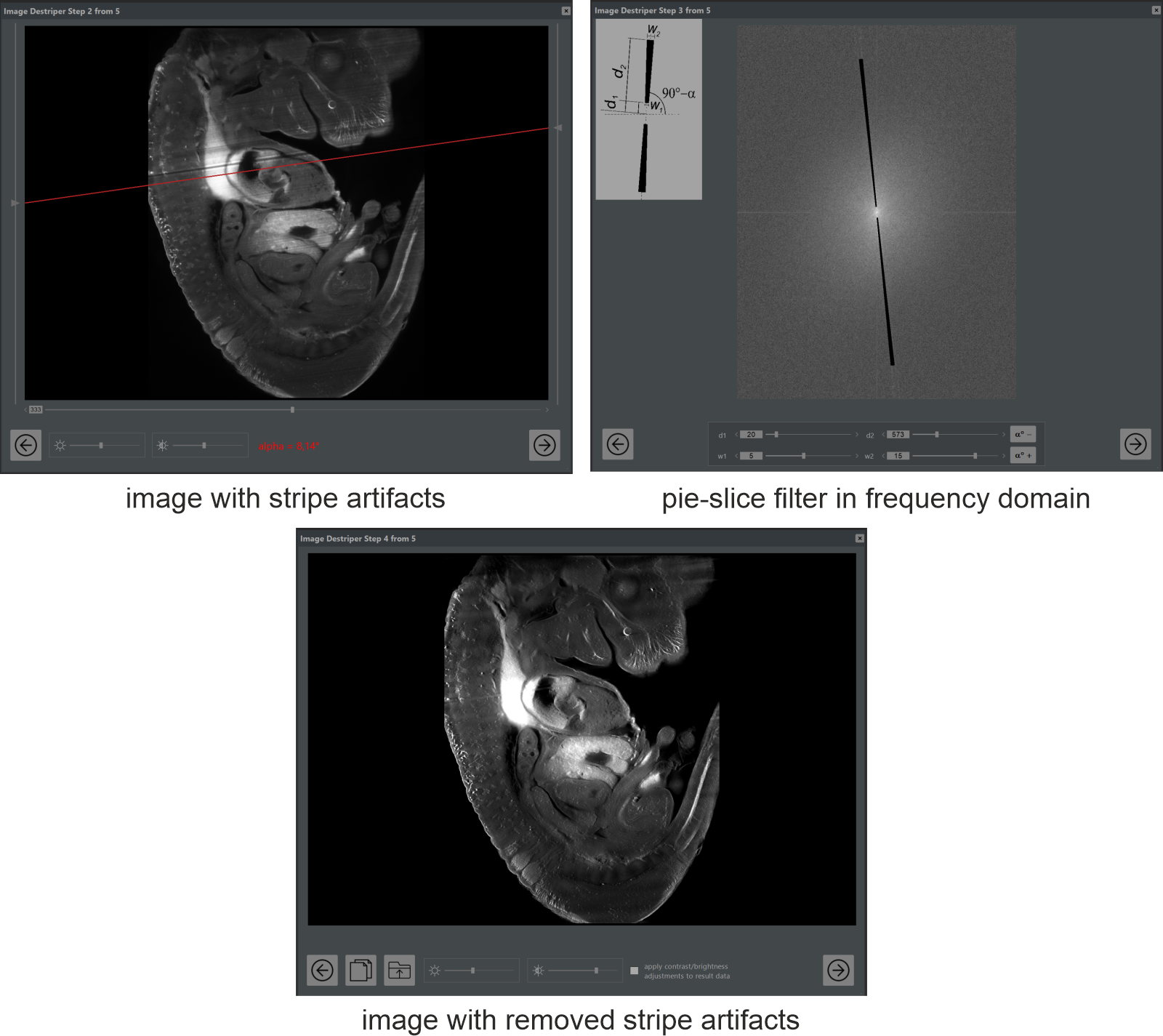
NovoDeblur includes a range of plugins for further image enhancement, such as stripe-artifact removal specifically designed for light-sheet microscopy, advanced histogram equalization (CLAHE), unsharp masking, and multi-color channel combining. These plugins enable users to fine-tune their images for publication-quality results, offering additional tools to enhance the visual clarity and detail of microscopy data.
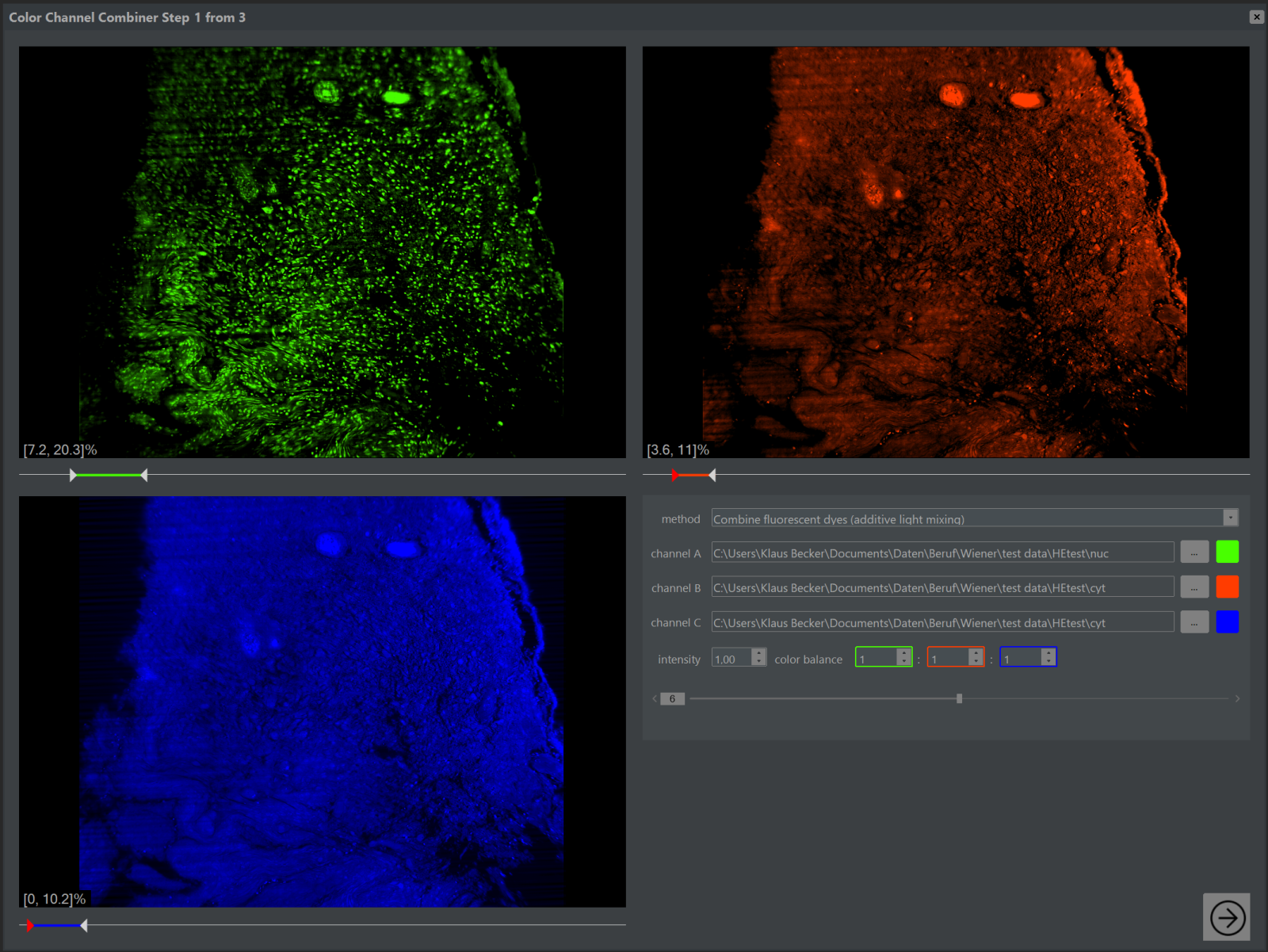
NovoDeblur provides a flexible way to compose RGB images from multiple single-color channels, supporting both additive and subtractive color-mixing modes (see the image on the left).
With its rich feature set, NovoDeblur offers a comprehensive solution for deconvolving light-sheet and confocal microscopy data at an affordable price. The combination of a powerful GUI, command-line flexibility, high processing speed, and advanced image processing tools makes NovoDeblur a valuable asset for researchers and professionals in the field of microscopy.
How Does Deconvolution Software Work?
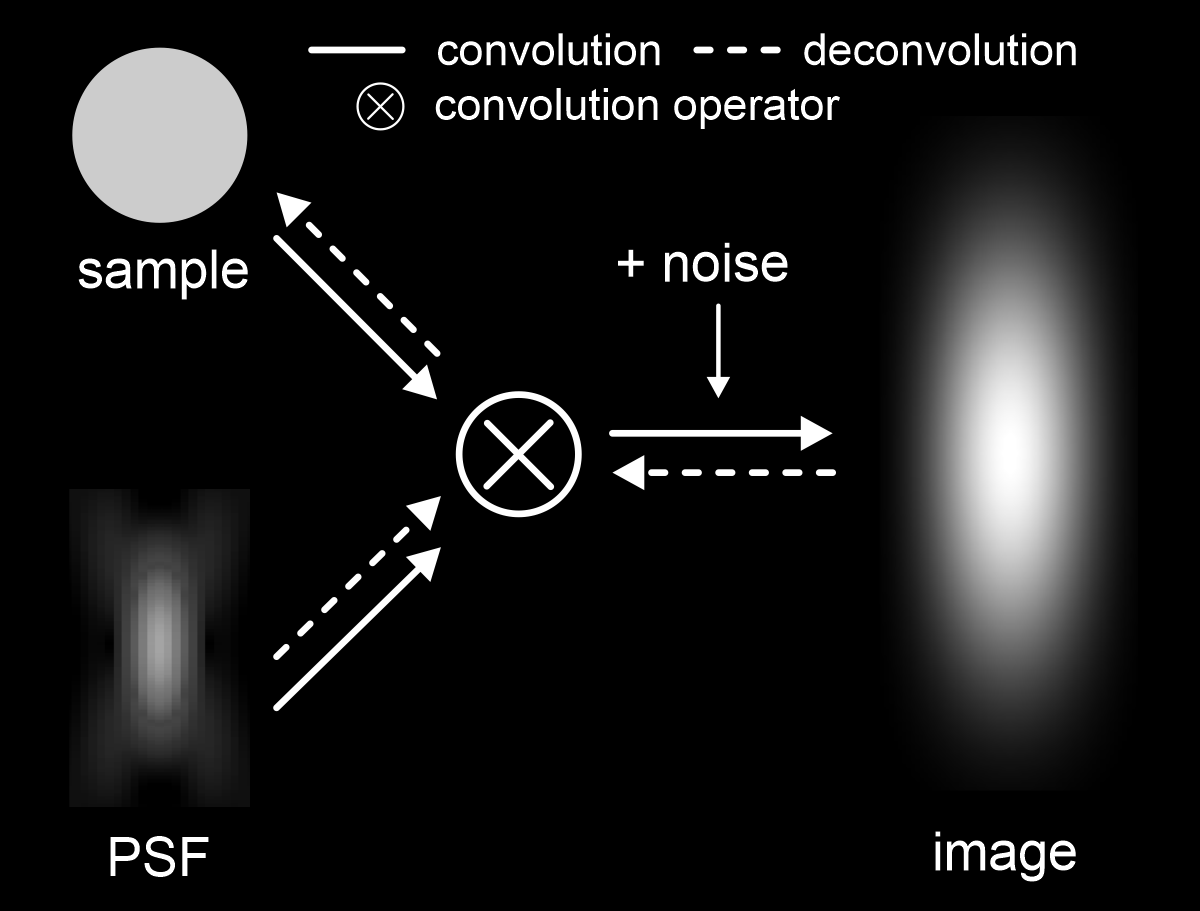
The process of deconvolution in microscopy is based on reversing the mathematical operation known as convolution, which models how an image is formed in a microscope. When light is emitted from a sample, it passes through the microscope's optics and is convolved with the instrument's Point Spread Function (PSF) to produce the final image. The Point Spread Function (PSF) of a microscope represents the image that would be formed by an infinitely small and infinitely bright point source of light. Ideally, this would be a perfect point, but in reality, due to factors like the wavelength of the light and optical aberrations, the PSF has a spatial extent. This inherent spread of the PSF is a primary cause of the limited resolution and blurring seen in microscopic images. If the PSF is known, the blurring effect can be (at least partially) reversed, which allows for the mathematical reconstruction of the original structure of the sample. This process is known as deconvolution:
Image = convolution(sample, PSF), sample = deconvolution(Image, PSF)
NovoDeblur supports both methods, enabling users to either measure the PSF directly or use a synthetic PSF for deconvolution.
A significant challenge in the deconvolution process is the potential amplification of noise, which is inevitably introduced during image acquisition, particularly by the CCD camera. To mitigate this issue, various mathematical techniques known as regularization methods are employed. NovoDeblur utilizes a regularization technique called flux-preserving regularization, which is crucial for maintaining the photometric integrity of the data. This means that the relative light intensities in different regions of the image remain consistent before and after deconvolution, ensuring that the original photometric relationships are preserved. This approach is particularly important when the deconvolved data are used for quantitative comparisons, as it prevents the introduction of artificial intensity variations. Flux-preserving regularization was originally developed for deconvolving astronomical data and is unique in its application to microscopy deconvolution software. This method is a key feature of NovoDeblur, ensuring that deconvolution does not distort the quantitative integrity of the image data. For more detailed information about the deconvolution algorithm used in NovoDeblur, you can refer to the publication in Scientific Reports (2019, doi.org/10.1038/s41598-019-53875-y).